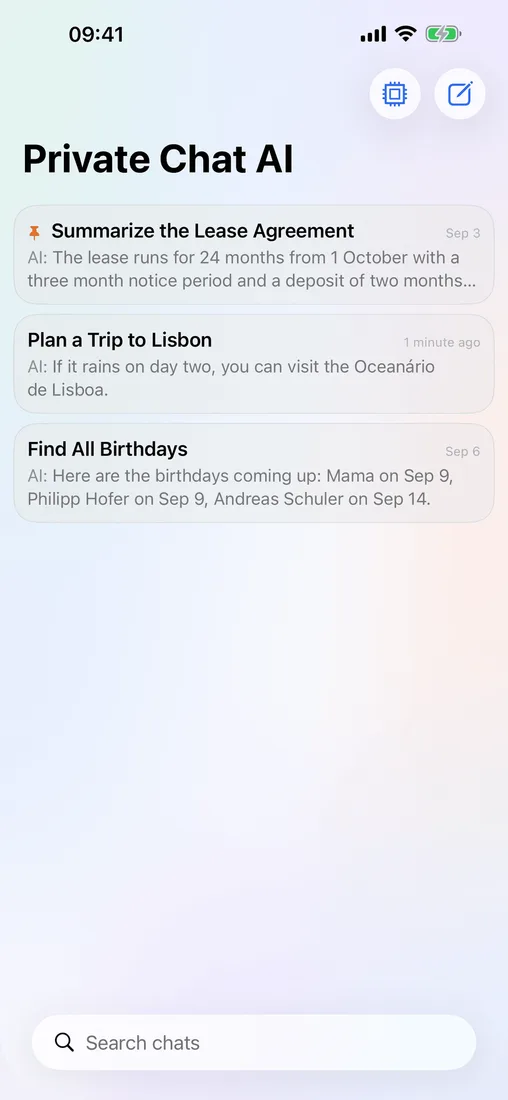
Priobs is an AI assistant that runs open-source language models right on your iPhone. Chat, summarize a PDF or plan your day with no Priobs account and no tracking. Local chats work in airplane mode.
Free download with a free trial · iPhone, iOS 26.0 or later
Answers generated on device
Works offline
No Priobs account
No tracking
Why Priobs
Everything a good AI app does, minus the cloud.
Priobs is a full AI assistant. It just runs on your phone instead of someone else’s data center.
AI that runs on your iPhone
Every answer is generated on your phone through Apple’s MLX framework. Your prompts never go to a Priobs server, because there isn’t one for chats.
Works in airplane mode
Download a model once over Wi-Fi. After that, local chats work on a flight, in a basement or abroad without roaming.
No account, no tracking
Nothing to sign up for. No analytics SDK, no ad profile, no conversation logs. Your subscription runs through your Apple Account.
Ten open models
Models from Alibaba, Google, Meta, Microsoft and Liquid AI, from a 288 MB speedster to a 3.6 GB heavyweight. Priobs recommends the right one for your iPhone.
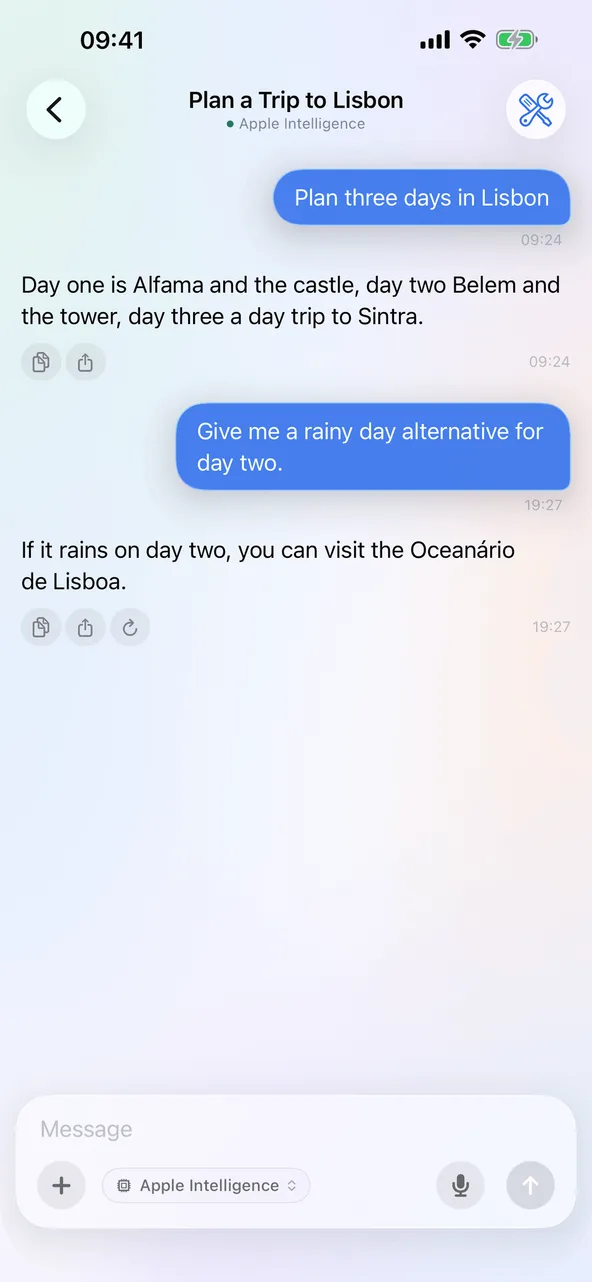
Apple Intelligence built in
On supported iPhones, use Apple’s own on-device model right next to the open ones. Nothing to download.
Voice input
Dictate long prompts instead of typing. Speech recognition runs on the device.
Siri and Shortcuts
Ask Priobs from Siri, start a chat from a shortcut or run an automation hands free.
Face ID lock
Lock the app with Face ID or your passcode, so your chats stay yours even when someone else holds your phone.
More than chat
Your files, your day, your assistant.
Priobs reads your documents, uses the tools you allow and works on a schedule. All of it on your iPhone.
Files
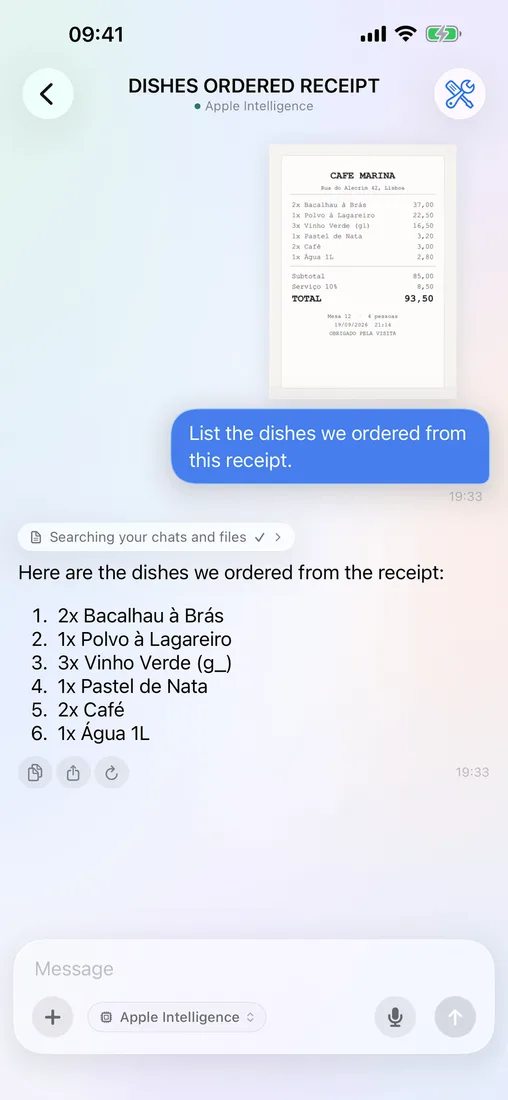
Ask about any PDF, photo or document.
Drop in a PDF, a Word file, a spreadsheet, a slide deck or a photo of a receipt. Priobs pulls out the text on your iPhone and answers your questions about it.
PDF, Word, Excel and PowerPoint
Reads the text in photos, scans and screenshots
Summarize a long report, even offline
Tools
An assistant that knows your day.
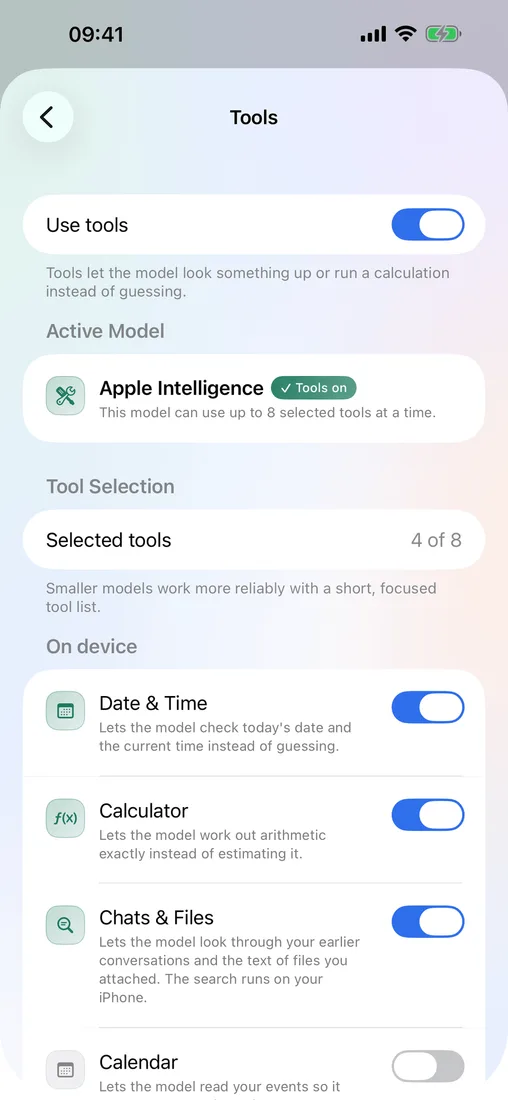
Let Priobs read your calendar, add a reminder, check your steps or find a contact. Each tool is a switch you turn on yourself, and iOS asks for permission first.
Calendar, reminders, contacts and birthdays
Health: steps, sleep, heart rate, workouts
Location, device status, calculator
Automations
It works while you sleep.
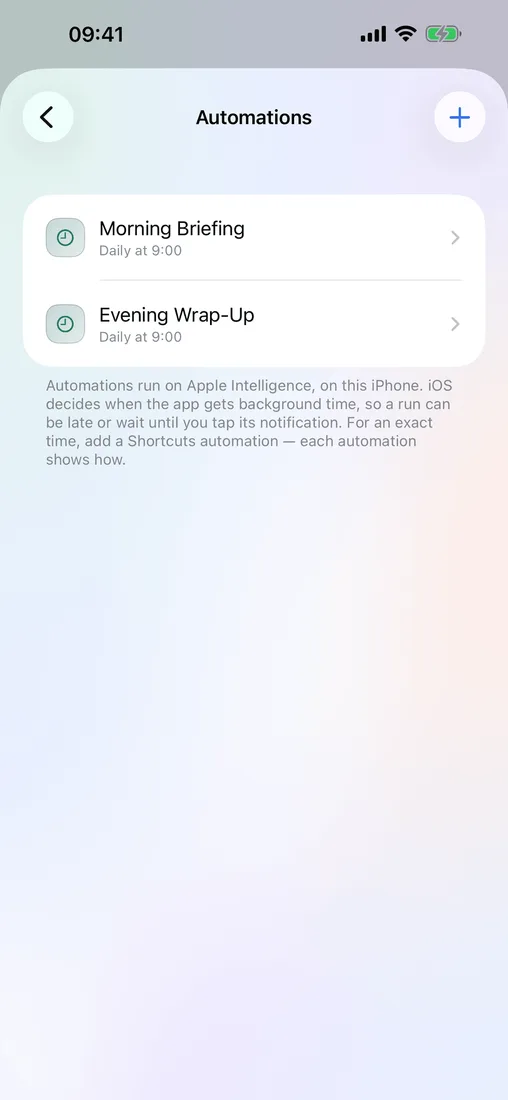
Schedule a prompt for every morning or before each meeting. Priobs runs it on your iPhone and sends the answer as a notification.
Daily schedules or before calendar events
Answers arrive as notifications
Run history for every automation
Library search
Find every chat you ever had.
Search past conversations and attachments by what they say, not just by title. The index lives on your iPhone.
Full-text search across chats and files
Optional Spotlight results, off by default
Optional web search with your own Brave key
How it works
Three steps, about five minutes.
No account to create, no API key to paste, no waiting list.
01
Download Priobs
Free on the App Store with a free trial. No sign-up screen, no email.
02
Pick a model
Priobs suggests a model that suits your iPhone and hides the ones it can’t hold. Or use Apple Intelligence with no download.
03
Chat privately
Write, summarize, brainstorm, get coding help. Switch on airplane mode if you like. Local chats keep working.
Model library
Choose the model that fits your iPhone.
Every downloadable model is a 4-bit MLX build. Priobs hides the ones your iPhone can’t hold and recommends one that fits.
Does Priobs really work without an internet connection?
Yes. Once a model is downloaded, local chats work with no connection at all: airplane mode, a tunnel, a flight. You need the internet to download models, for the occasional subscription check, and for optional extras like web search that you switch on yourself.
Is my data actually private, or is that just marketing?
Every answer is generated on your iPhone, and your chat history is stored there too. There is no Priobs account, no analytics SDK and no chat server. Apple handles your subscription, and model files come from Hugging Face. Web search and connected apps are off by default and only receive what you approve.
Can Priobs read PDFs and documents?
Yes. Attach a PDF, Word, Excel or PowerPoint file, or a photo, and ask about it. Priobs extracts the text on your iPhone, so you can summarize a long PDF even in airplane mode. For photos it reads the text and recognizes what’s in the scene.
Which iPhones can run Priobs?
Any iPhone on iOS 26.0 or later. Which models you can use depends on your iPhone’s memory: the smallest, Qwen 2.5 0.5B, needs about 512 MB of RAM, while the largest, Gemma 4 E2B, needs about 4.5 GB. Priobs hides models your iPhone can’t hold and recommends one that fits.
How much storage do the models take up?
Models are downloaded separately and range from 288 MB (Qwen 2.5 0.5B) to 3.6 GB (Gemma 4 E2B). Download only the ones you want and delete them any time. On iPhones with Apple Intelligence, you can use Apple’s built-in model with no download at all.
Is Priobs free?
Priobs is free to download and comes with a free trial. After the trial, chatting, model downloads, Siri and automations need a Priobs Pro subscription, billed through your Apple Account. Every model is included, Apple Intelligence too. You can cancel any time in App Store settings. No ads, ever.
How does an on-device model compare to ChatGPT?
Honestly: a 1 to 4 billion parameter model on a phone won’t match a giant cloud model on the hardest reasoning or very long documents. What you get instead is an assistant that works offline, needs no account and never puts your conversation on someone else’s server. For drafting, summarizing, brainstorming and private questions, that trade is often worth it.
Your data stays in your pocket.
Download Priobs, pick a model and start chatting. Web search and connected apps stay off until you turn them on.
Free download · Free trial · Cancel any time in App Store settings